Calendars
Calendars are the name for remote calendar/event sources.
Refer to the Supported Calendar Sources page for information on which calendar sources are supported.
Monitoring status
Calendar are monitored for communication status automatically. The status of a calendar can be viewed on the Calendars list page.
Calendar status icons
| Status | Meaning |
|---|---|
 | The last fetch of the calendar was successful. |
 | The calendar is newly created and the first fetch process has not yet been completed. |
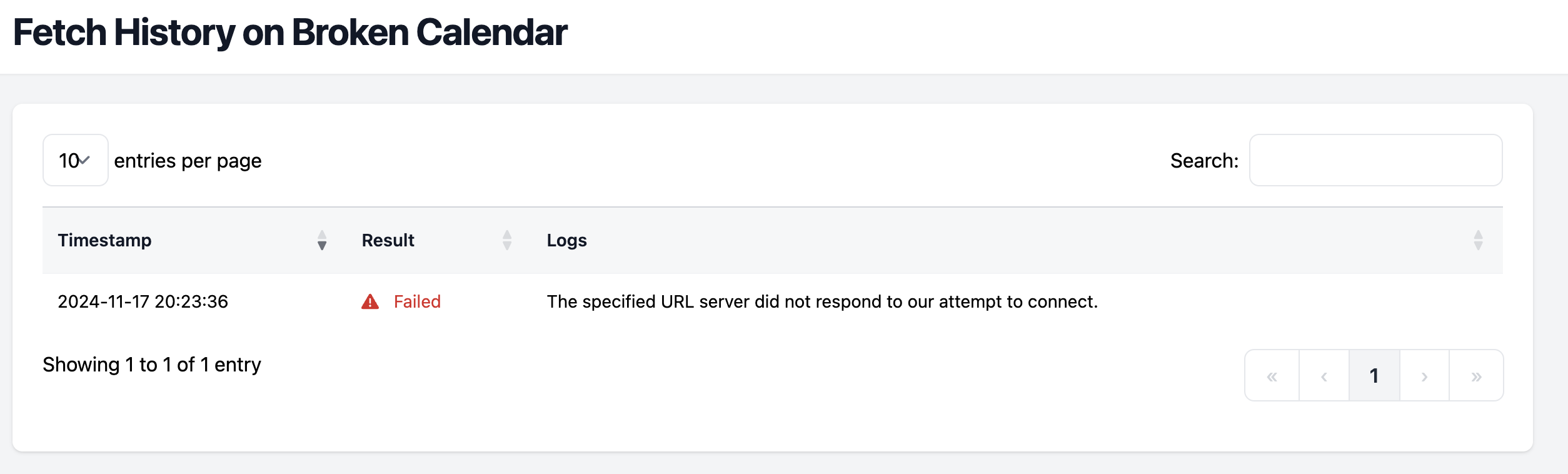
 | The last fetch of the calendar failed. You can use the Fetch History page to diagnose further. |
Using the Fetch History page
On the calendar list page, you can select the clock icon to access the fetch history page. The fetch history page shows the history of the last 50 fetch attempts, and any log information available about those attempts.
This page is useful when a calendar fetch fails and you want to troubleshoot the problem.